
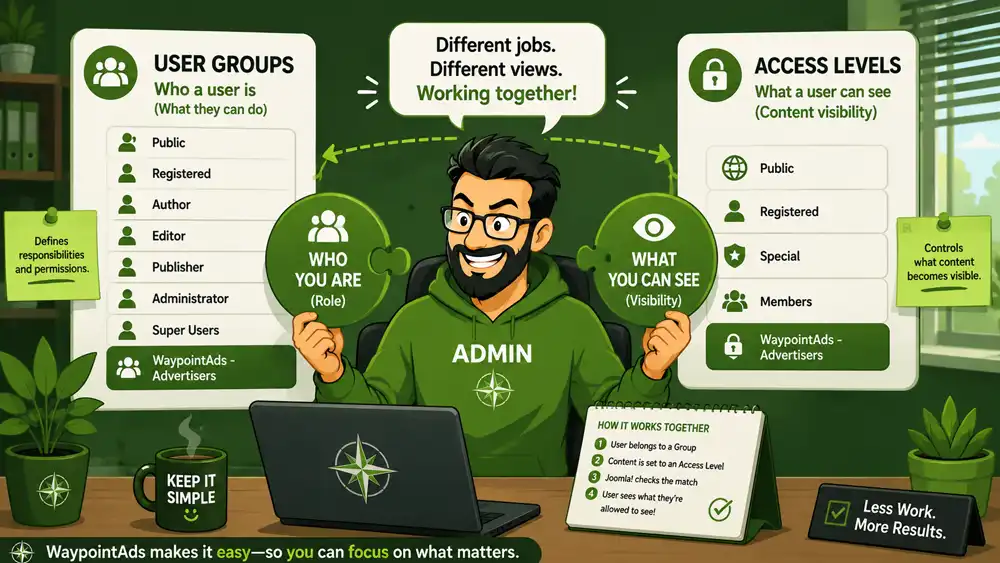




One of the first things you may notice after installing WaypointAds is that Joomla has gained a new User Group named WaypointAds - Advertisers and a matching Access Level with the same name.
At first glance they appear to be duplicates.
They're not.
Understanding the difference between these two Joomla features is one of the keys to mastering Joomla's Access Control List (ACL). Once you understand what each one does, the rest of Joomla's permission system suddenly becomes much easier to follow.
User Groups – Who a User Is
Think of a User Group as a person's job title.
A user belongs to one or more groups that describe their role within the website.
Examples include:
Public
Registered
Author
Editor
Publisher
Manager
Administrator
Super Users
Each of these groups tells Joomla what the user is allowed to do. Their permissions determine whether they can create articles, edit content, manage users, access the administrator area, or perform other administrative tasks. User Groups are the foundation of Joomla's permissions system.
When WaypointAds is installed, it creates a new group called WaypointAds - Advertisers. Users assigned to this group become advertisers within the extension without needing broader administrative privileges.
In other words:
- User Groups define responsibilities.
- Access Levels – What a User Can See
If User Groups determine what someone can do, Access Levels determine what they can see.
Almost every item in Joomla has an Access setting, including:
Articles
Menu Items
Modules
Categories
Components
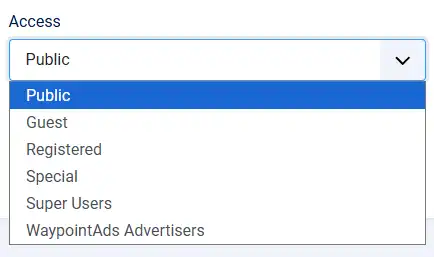
That setting tells Joomla who is allowed to view that item. An Access Level is simply a collection of one or more User Groups. If a user belongs to any group included in an Access Level, Joomla allows them to see the item.
For example:
- Public – Everyone can see it.
- Registered – Only logged-in users can see it.
- Special – Administrative users can see it.
So while User Groups answer the question:
"Who are you?"
Access Levels answer:
"What are you allowed to see?"
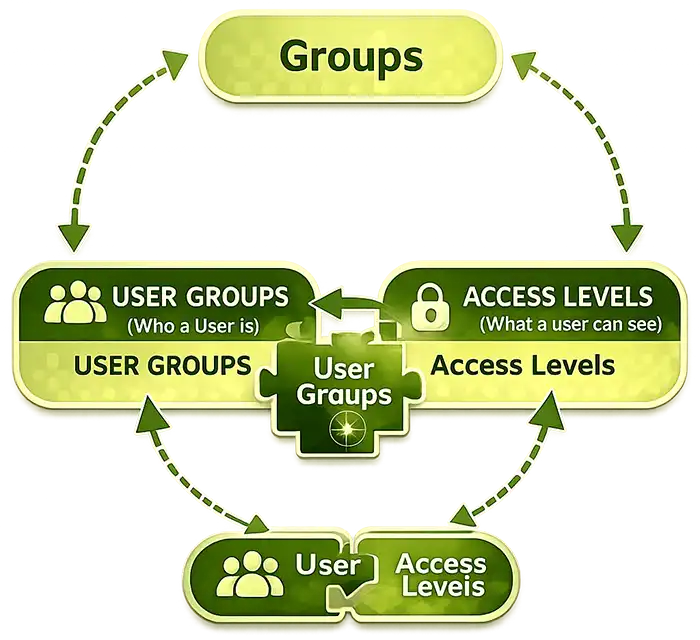
How They Work Together
This is where the two systems meet.
Imagine you create an Advertiser Dashboard menu item. You don't want ordinary registered users to see it. You only want your advertisers to have access.
WaypointAds makes this easy.
- A user is assigned to the WaypointAds - Advertisers User Group.
- The Advertiser Dashboard menu item is assigned the WaypointAds - Advertisers Access Level.
- When that user logs in, Joomla recognizes they belong to the required User Group.
- The menu item appears automatically.
Everyone else logs in and never even knows the dashboard exists.
No complicated permission settings. No custom coding. Just Joomla doing exactly what it was designed to do.
Why WaypointAds Creates Both
Creating only the User Group wouldn't be enough and creating only the Access Level wouldn't work either.
- The User Group identifies who the advertiser is.
- The Access Level controls what advertiser-only content becomes visible.
By creating both during installation, WaypointAds provides a ready-to-use foundation for advertiser dashboards, menu items, modules, and future features without requiring additional Joomla configuration.
This reflects one of the core philosophies behind WaypointAds: Keep It Simple.
Joomla is an incredibly powerful platform, but that power can sometimes come with extra setup and configuration. Wherever it makes sense, WaypointAds handles the groundwork for you. Rather than asking administrators to create User Groups, build Access Levels, and connect everything together manually, the extension does it automatically during installation.
Our goal is to reduce repetitive administration, not create more of it.
Every feature in WaypointAds is designed with the same question in mind:
"Can we do this for the administrator instead?"
If the answer is yes, we usually do.
That doesn't mean taking control away from you. Everything created by WaypointAds can still be customized, expanded, or removed using Joomla's standard tools. We simply provide sensible defaults that allow you to get started immediately instead of spending time on routine configuration.
The extension is built to help administrators manage advertising efficiently—not multiply their workload. The less time you spend performing repetitive setup tasks, the more time you can spend running your website and serving your advertisers.
A Simple Way to Remember
If Joomla's ACL ever feels confusing, remember this simple rule:
- User Groups answer "Who are you?"
- Permissions answer "What are you allowed to do?"
- Access Levels answer "What are you allowed to see?"
Once those three ideas click into place, Joomla's ACL becomes far less mysterious, and you'll have a much better understanding of how WaypointAds integrates with Joomla's powerful security and content visibility system.
