Learning WaypointAds
- Details
One of the quickest ways to become familiar with WaypointAds is to explore a complete advertising system that has already been assembled for you. Rather than beginning with a completely empty installation, the Learning Example creates a small advertising environment that demonstrates how the major components of WaypointAds work together.
The Learning Example is completely safe to use. Nothing is published on your website, no module is displayed on the front end, and all of the records created by the example remain inactive until you deliberately choose otherwise. It exists solely to help you learn.
After selecting Create the Learning Example, WaypointAds builds a complete but fictional advertising campaign that you are free to inspect, modify, reset, or remove whenever you wish.
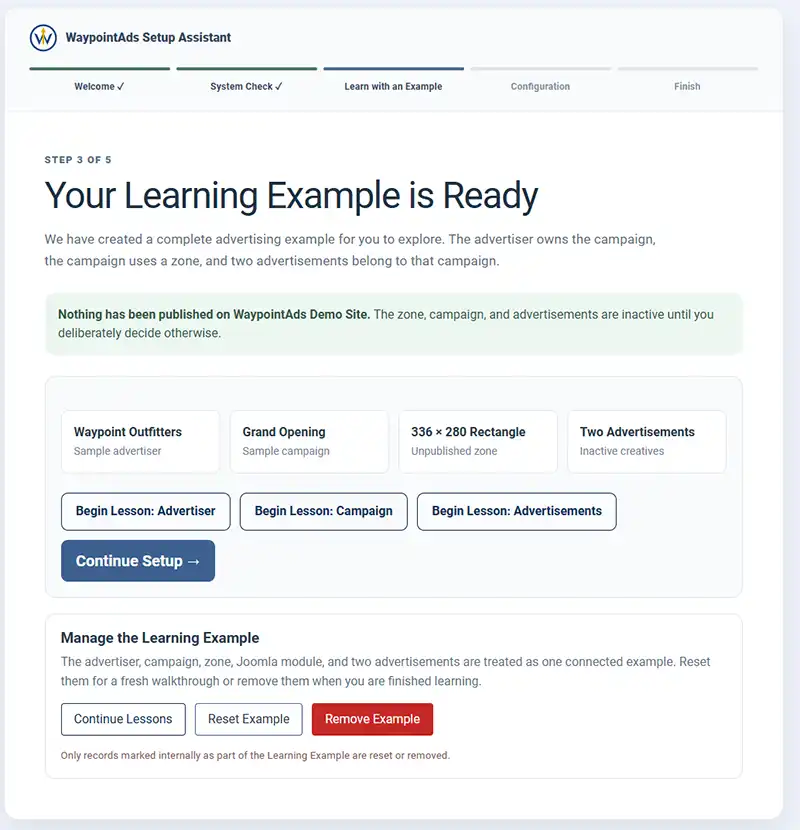
Understanding the Learning Example
The example consists of four connected parts that mirror the structure of a real advertising campaign.
The Advertiser
The fictional advertiser represents the business purchasing advertising space on your website.
Selecting Begin Lesson: Advertiser opens the Advertiser record and explains the information stored there, including contact details and how advertisers own one or more campaigns.
The Campaign
Every advertisement belongs to a campaign.
Selecting Begin Lesson: Campaign opens the sample campaign and demonstrates how campaigns organize advertisements, define schedules, and connect advertisers with advertising Zones.
The Advertising Zone
The Learning Example includes an unpublished advertising Zone.
Although visitors cannot see it, the Zone demonstrates where advertisements are displayed and how modules and template positions work together to present advertising throughout your website.
The Advertisements
Finally, the Learning Example includes two inactive advertisements.
Selecting Begin Lesson: Advertisements explains how Creatives are stored, how multiple advertisements can rotate within a campaign, and how WaypointAds keeps everything connected behind the scenes.
Continue the Guided Lessons
The Begin Lesson buttons are designed to introduce each part of WaypointAds individually.
We recommend following them in order:
- Advertiser
- Campaign
- Advertisements
By the time you've completed these short lessons, you'll understand how every major part of WaypointAds works together to create a complete advertising system.
Managing the Learning Example
The Learning Example is yours to experiment with.
If you make changes and would like to start over, simply select Reset Example to restore the original demonstration records.
When you no longer need the example, click Remove Example. WaypointAds deletes only the records created specifically for the Learning Example, leaving any advertisers, campaigns, zones, or advertisements you've created yourself completely untouched.
If you'd rather continue exploring later, simply click Continue Lessons and return whenever you're ready.
Completing the Learning Example
Once you've explored the sample Advertiser, Campaign, Zone, and Advertisements, WaypointAds displays the Lesson Complete screen. This confirms that you've followed the complete advertising relationship and seen how the four primary components work together to create a functioning advertising system.
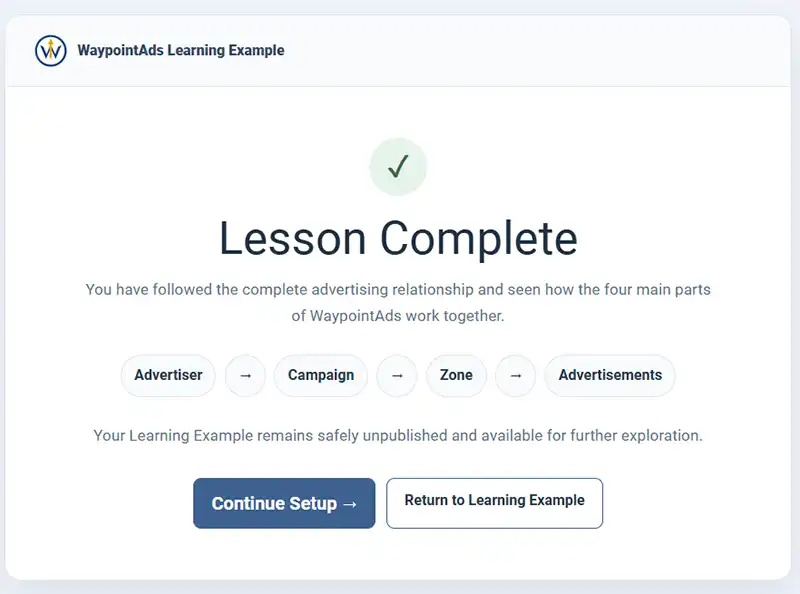
At this point, your Learning Example remains safely stored within WaypointAds. Nothing has been published on your website, and you may return to the example at any time to continue exploring or reviewing the lessons.
When you're ready to continue setting up WaypointAds, click Continue Setup.

WaypointAds is a modern advertising solution for Joomla that makes it easy to create campaigns, manage advertisers, organize creatives, and display ads across your website. Built for simplicity, flexibility, and growth, it gives you the tools to keep your advertising running smoothly from a single, intuitive interface.
